

Short answer: Learn HVAC maintenance tips for Lennox iComfort thermostats to cut energy bills 10-25% with sensors and proper commissioning, plus simple next steps.
Lennox iComfort thermostats offer zone-level control, scheduling, and basic fault alerts to cut HVAC energy use. When paired with sensors, correct sequences, and professional commissioning, they often save 10–25 percent. Budget for gateways, network security, and commissioning to capture real-world savings and avoid integration issues. (ASHRAE Technical Resources: Lennox iComfort references and guidance)
Key Takeaways
- Use a room-by-room Manual J load calculation (not a square-foot rule).
- Select equipment with Manual S and verify ducts with Manual D for comfort and efficiency.
- Avoid oversizing: short-cycling wastes fuel and can create uneven temperatures.

Why choose iComfort for commercial projects?
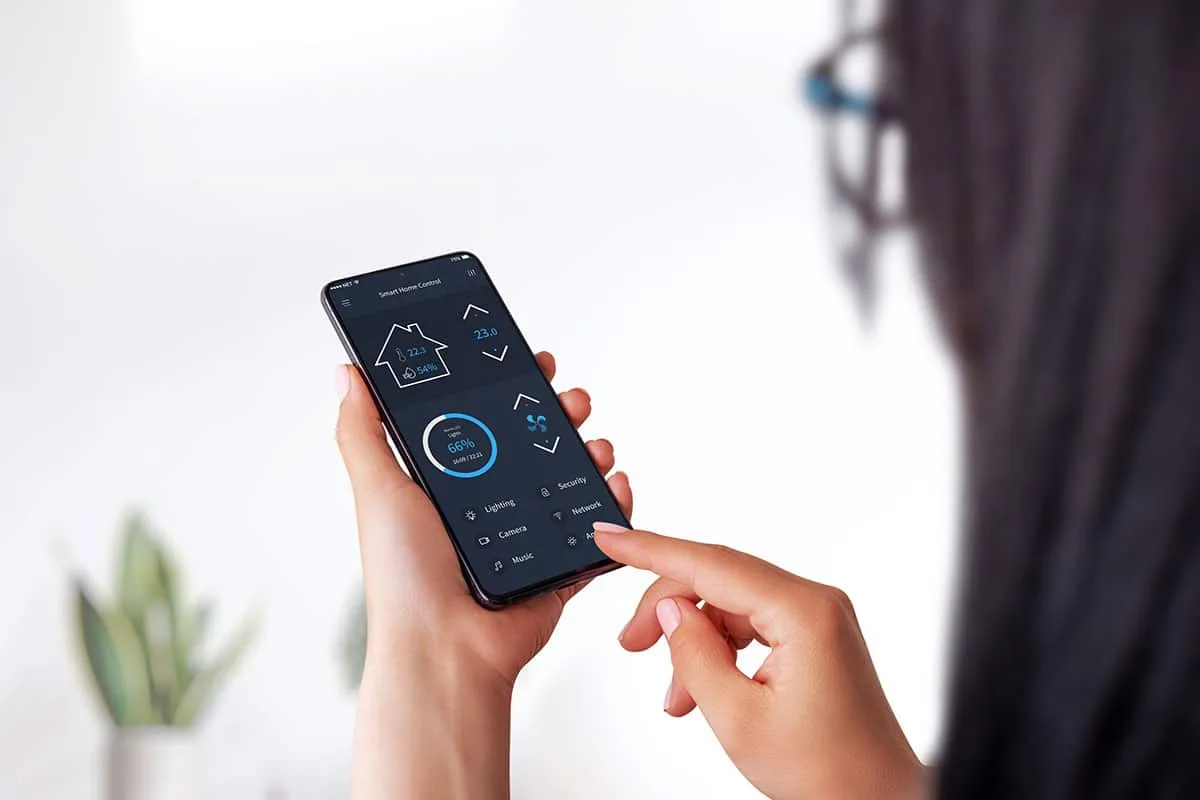
Lennox iComfort is chosen for small to medium commercial projects because of its straightforward touchscreen interfaces and gateway options. For owners who do not need a full building management system (BMS), the iComfort family can provide zone control, scheduling, and basic fault logs without the overhead of a complete BMS. Tenant-friendly touchscreens reduce calls about schedules and setpoints, while built-in logs help service technicians diagnose issues remotely or before a truck roll.
Owners often save on runtime by using setback schedules and occupancy inputs. When thermostats are paired with occupancy sensors or CO2 inputs, demand-controlled ventilation can reduce unnecessary ventilation and condition only occupied spaces. This combination of simple local control with targeted sensors makes iComfort a cost-effective choice in clinics, small offices, retail spaces, and bank branches where a full BMS would be excessive.
What iComfort models suit commercial sites?
Select models that explicitly list commercial features such as dry-contact inputs, CO2 sensor inputs, and expanded I/O. These features allow you to add occupancy sensors, link to door contacts, or support demand-controlled ventilation strategies. Always ask the vendor for a current spec sheet and a point list before procurement to confirm the required I/O is present and that the model supports remote locking or multi-level access.
Confirm remote locking and access control on the chosen model to reduce tenant overrides. Preventing unauthorized setpoint changes preserves schedules and protects energy savings. If the model does not include the necessary inputs or locking features, budget for external relays and administrative controls as part of the installation.
How do touchscreen and gateway models differ?
Touchscreen iComfort thermostats focus on occupant experience and local scheduling. They are easy to use for daily setpoint changes and provide essential local diagnostics. These units are effective when the project scope centers on occupant comfort and simple schedule-based savings without central monitoring.
Gateways provide protocol translation and central management. When a site requires BACnet/IP or Lon connectivity, a gateway aggregates many endpoints for central trending and alarm management. Gateways increase upfront cost and require driver setup, but they are necessary for reliable central monitoring and integration into an enterprise BMS.
Which HVAC systems are supported?
iComfort supports packaged rooftop units, many split systems, and various heat pump configurations. Some hydronic or boiler systems are supported when you add relays and external sensors for temperature and flow. If equipment uses older or proprietary control boards, plan for interface relays and clarifying signal mapping before installation.
For unusual staging or nonstandard signals, involve a controls contractor early. Mapping outputs and confirming compatibility in the design phase reduces field rework, minimizes unplanned costs, and prevents late change orders that delay acceptance and M&V.
Can iComfort handle multi-zone buildings?
Yes. IComfort can manage multi-zone buildings by placing a thermostat in each zone and coordinating zone dampers or actuator panels. Each thermostat controls its local zone setpoint and schedule, while gateways help centralize alarms, trends, and overrides for large deployments. Proper commissioning is essential to balance zones and to configure minimum-run timers and staging logic.
Without careful tuning, multi-zone systems can suffer short cycling, poor comfort, or wasted preconditioning. Include additional commissioning hours for zone balancing and sensor verification. Good sensor placement and calibrated devices are essential to ensure zone temperatures reflect true occupied space conditions rather than localized heat sources or drafts.
How do occupancy and scheduling work?
iComfort supports weekday and weekend schedules and allows temporary overrides. Occupancy inputs can be wired from passive infrared (PIR) detectors as dry contacts or from CO2 sensors to enable demand-controlled ventilation (DCV). Correctly configured setbacks reduce runtime during unoccupied hours and prevent unnecessary comfort conditioning.
Avoid overly aggressive setback strategies that force long or energy-intensive recovery periods. Use minimum-run timers and staged control to prevent excessive cycling and to balance energy savings with equipment life. Lock or limit overrides to preserve energy savings in tenant-occupied spaces.
What built-in diagnostics help reduce service calls?
iComfort units maintain local logs of runtime, last faults, and basic fault-detection messages. These logs help technicians identify short cycling, sensor failures, or staging problems before visiting the site. Local logs also let dispatchers send the right parts and tools on the first truck roll, reducing downtime and service costs.
For deeper diagnostics, export logs to an analytics platform or your BMS. Trend review can reveal slow-degrading sensors or drifted setpoints that precede full failures. Automated fault detection and trending improve preventive maintenance and lower the frequency of emergency repairs.
Are demand response features supported?
Many iComfort models and their gateways accept demand response (DR) signals for scheduled load shedding. These systems can participate in utility DR events or respond to local price signals when integrated with a compatible platform or gateway. Early confirmation of supported DR protocols prevents enrollment issues later in the project.
Ask your Lennox representative about supported DR protocols and the utility enrollment process. Some utility programs require telemetry or event confirmations; understanding those requirements in advance avoids last-minute mismatches that can disqualify a site from incentives.
How much can iComfort cut energy bills?
Savings depend on local climate, system efficiency, control quality, and the completeness of the installation. Typical documented ranges for projects that include sensors and commissioning are 10–25 percent HVAC energy reduction. Standalone installs with minimal commissioning usually land near the low end of this range. Always plan a conservative estimate for budgeting and present both conservative and optimistic scenarios to stakeholders.
To calculate payback and ROI, sum the installed costs including thermostats, gateways, labor, and commissioning. Divide that total by the expected annual energy savings based on local utility rates and runtime trends. Include recurring cloud or analytics fees in ongoing costs. Many targeted small-office retrofits can show simple paybacks in the one- to four-year range when incentives apply.
Try our energy savings calculator to see how much you could save.
What typical savings do case studies show?
DOE and ACEEE studies show that smart thermostat programs with commissioning and DCV commonly hit 10–25 percent savings. The high end of the range generally requires properly placed sensors, verified sequences, and analytics that allow further tuning and detection of drift. Without those elements, projects tend to achieve more modest savings.
If you rely on rebates, plan M&V using accepted protocols like IPMVP or ASHRAE Guideline 14. Proper measurement validates program claims and supports future funding, scaling, or incentive applications. Document the baseline before changes and collect trends afterward to support verified energy savings.
Learn about available federal tax credits for energy-efficient HVAC equipment.
How does scheduling produce 10 to 25 percent savings?
Setbacks reduce runtime during unoccupied hours and often cut energy without impacting occupant comfort. Combining setbacks with minimum-run logic reduces the reheating or recooling energy needed during recovery. Correct sequencing prevents wasted recovery periods and keeps compressors and boilers from running inefficiently.
Operator training and locking setpoints also matter. Tenant overrides can erase savings quickly. Provide training and lockpoint policies where frequent overrides are expected. Reporting routine savings keeps stakeholders aligned and supports ongoing compliance with the original operational intent.
Which metrics measure runtime and efficiency?
Track on-time percentage, cycles per hour, staging times, and kWh per degree-day. Trending per zone reveals inefficient zones, repeated short cycles, and outliers that need manual attention. Establish a baseline before commissioning so you can compare post-install performance accurately and quantify verified savings.
Use captured trends to identify underperforming zones and to guide targeted fixes. Once you have reliable trending, you can prioritize high-impact repairs and tune controls to maximize measured savings across the portfolio.
What are integration and compatibility issues?
Protocol mismatches are the most common integration risk. Many iComfort devices use proprietary local protocols and require a gateway for BACnet/IP or Lon translation. Wi-Fi variants provide cloud connectivity but are not ideal for enterprise BMS control unless bridged to a gateway or API. Driver gaps, incorrect object lists, and untested alarm mappings can delay integration and commissioning.
Avoid surprises by requiring factory spec sheets and sample object lists during procurement. Test integration on one endpoint early to reveal mapping issues, missing points, or timing problems. Include integration tests in the contract to ensure your BMS or analytics vendor can read and write the required points reliably.
What communication protocols does iComfort use?
Lennox systems often employ proprietary local wiring and protocols with optional gateways for BACnet/IP or Lon. Some models provide Wi-Fi for cloud access and remote management but lack BMS-native protocols without a bridge. Always request protocol options on the spec sheet and confirm the firmware level and gateway compatibility before purchase.
Double-check which properties and object IDs are exposed for each supported protocol. Missing or read-only objects can force workarounds or custom driver development that adds cost and schedule risk to the project.
Which third-party systems integrate smoothly?
BMS platforms that accept BACnet/IP typically integrate most smoothly once a gateway is in place. Some BMS vendors offer Lennox drivers or can map generic BACnet points with minimal effort. Cloud analytics platforms can integrate via APIs or data exports if the Lennox system supports those flows.
Test a single endpoint early to uncover mapping errors and timing issues. Early testing limits risk and saves time when scaling to full deployments. Document tested mappings and maintain a versioned object list for future reference.
How to verify BACnet and Lon support?
Request a current spec sheet and a sample object list from the vendor. Confirm supported properties, read/write permissions, alarm object mapping, and required gateway firmware. Require either a factory or onsite integration test in your contract to prove connectivity and correct point mapping.
Document expected trending points and alarm names in submittals. Clear expectations speed driver development and reduce delays during commissioning and acceptance testing.
What gaps require gateways or adaptors?
If thermostats only support Wi-Fi or a proprietary wiring scheme and you require BACnet or Modbus, budget for a gateway. Adapter relays may also be needed for CO2 inputs or legacy voltages. Factor gateway and adapter firmware versions into procurement decisions; mismatched versions can cause hard-to-diagnose failures on site.
Count gateway and adapter costs early in the project budget. Include driver engineering hours and testing time to ensure the integrated system functions as intended under expected operational loads.
Are cloud integrations available for analytics?
Certain iComfort models can send data to Lennox cloud services or to authorized third-party analytics platforms via APIs. Cloud options add trending, fault detection, and remote setpoint control. Review data retention and export policies before relying on cloud services for M&V or rebate documentation.
Confirm whether rebate or utility programs require local data storage, specific sampling intervals, or on-site trending before you commit fully to a cloud-only solution. Some programs disallow cloud-only evidence and require local trend archives for verification.
How to handle legacy equipment during retrofit?
Before removing old devices, map existing relays and sensor wiring to understand legacy signal types and voltages. Use interface relays and adapters where required to match signal levels and avoid damaging older equipment. Replace long-run or failing sensors as part of the retrofit; reused sensors often deliver poor accuracy and poor long-term savings.
Create a migration plan that preserves economizer sequences and safety interlocks during cutover. A controls contractor should document the plan and ensure minimal downtime and code compliance during the changeover.
What commissioning data is required for BMS?
Deliver complete object lists, required trending points, and alarm mappings with time-stamped logs as part of the commissioning handover. Include functional test reports and captured trends that demonstrate proper staging and minimum-run performance. These deliverables support acceptance testing and future troubleshooting.
Require 8–12 hours of functional tests per rooftop unit or zone bank on retrofit projects. That level of testing uncovers sequence errors early and avoids acceptance delays or post-acceptance punch lists that can erode savings and budgets.
Which firewall rules enable secure links?
Limit control network access to essential outbound ports for vendor cloud services or an approved VPN. Block inbound connections except through a managed jump server and enforce application-layer inspection for critical control links. Coordinate rules with IT and document the access model in the project manual to establish clear responsibilities for remote access and support.
Network architects should verify VLAN segmentation and QoS for control traffic, confirm IP addressing schemes, and plan backup telemetry paths. Asset lists, firmware tracking, and scheduled patching rounds keep the system secure during its operational life.

How to budget and specify iComfort systems?
Estimate thermostat hardware between approximately $200 and $1,000 per unit depending on model and I/O. Gateways often range from $500 to $2,000 per unit. Installation and commissioning costs commonly range from $150 to $600 per thermostat for standard projects. Factor in driver development and testing time when integrating with a BMS; those engineering hours can materially affect total project costs.
Include spare parts, a one-year support agreement, and recurring cloud or analytics fees in the financial model. Check whether Lennox requires licensing or charges for driver support or API access. Accounting for licenses and subscriptions during initial budgeting prevents surprises that inflate payback periods.
What hardware and licensing costs matter?
Itemize thermostats, gateways, CO2 or occupancy sensors, relays, and driver engineering hours in the budget. Add spare devices and a support or maintenance agreement. Recurring cloud or analytics subscriptions should be treated as operating expenses, and their effects on ROI must be modeled explicitly.
Verify any per-endpoint fees the vendor may charge for cloud connectivity or API access. Include those recurring costs when you calculate long-term ROI so stakeholders see the full lifecycle expense.
How to write spec language for projects?
Specify required protocol support, accepted gateways, and expected object lists in the project specifications. Demand commissioning hours, cybersecurity measures, and a data export format suitable for M&V. Be explicit about which party supplies and configures drivers and require acceptance tests with captured trends to prove performance before final payment.
Including clear acceptance criteria reduces disputes and ensures the vendor or contractor delivers a system that meets functional goals. Require documented functional tests, baseline capture, and operator training as part of the turnover package.
What commissioning and maintenance steps matter?
Professional commissioning verifies sequences, sensor placement, and network links. Capture functional tests and trending during commissioning to prove performance and to document acceptance. Operator training should be included in the turnover package so site staff can manage schedules, overrides, and basic troubleshooting.
Ongoing maintenance includes sensor cleaning, firmware reviews, and quarterly trend audits. Set routine alarm response expectations and keep a parts kit for common failures to reduce downtime. Regularly review captured trends to prevent small issues from becoming large failures and to maintain energy savings over time.
What is professional commissioning best practice?
Define acceptance tests and capture baseline energy use before work begins. For retrofits, perform 8–12 hours of functional testing for each rooftop unit or zone bank. Capture trend and fault logs as proof of functional performance and require operator sign-off and documented punch lists before final acceptance.
These steps transfer operational knowledge to site staff and provide artifacts that support future troubleshooting and warranty claims. Proper commissioning prevents wasted savings and enhances lifecycle performance.
How to test sensor calibration and setpoints?
Use calibrated handheld instruments to verify thermostat temperature readings and compare CO2 and humidity sensors to reference devices. Log results and correct any drift found during validation. Run step tests to observe staging behavior under load and document the equipment response to control commands.
Once sensors and setpoints are validated, lock or document setpoint ranges so that accidental changes do not erode energy savings. Periodic recalibration keeps measurements accurate over the system life.
Which diagnostics reduce service visits?
Trend-based alerts, runtime thresholds, and targeted alarm filters point technicians to the likely cause of faults. Local logs enable technicians to arrive prepared with parts and tools, reducing repeat visits. Remote VPN or managed access speeds triage and allows for previsit planning.
Balance alarm sensitivity with practical response SLAs to avoid nuisance calls. Fine-tune thresholds during the commissioning period so the facility team can respond efficiently to real problems.
How often should firmware be updated?
Review firmware releases quarterly and plan updates during low-occupancy periods. Pilot updates on a single device or small cluster before a fleet-wide rollout, and prepare rollback steps in case of issues. Coordinate with IT and document each update to keep a clear record of firmware versions in the asset list.
Maintain a patch and update schedule as part of your asset management process. That reduces security exposure and prevents compatibility problems between gateways, thermostats, and BMS drivers.
What cybersecurity steps prevent breaches?
Segment control networks on dedicated VLANs, change all default passwords, and enforce role-based access control with multi-factor authentication for remote users. Request vendor security documentation and test remote access workflows during commissioning. Train operators on phishing and credential hygiene to reduce human risk factors.
Schedule periodic security audits and keep firmware up to date. Document access policies and maintain an incident response plan so the facility can react quickly if a breach is suspected.
Can remote monitoring cut O&M costs?
Remote trends and alarm triage reduce truck rolls and speed remote fixes. For larger portfolios, analytics can discover high-impact issues and reduce maintenance costs by prioritizing work. However, evaluate monitoring subscription costs against expected reductions in callbacks and emergency repairs before committing to ongoing fees.
Pilot remote monitoring on a small set of critical assets first. Use the pilot to validate the net O&M savings and to refine alarm policies and response procedures.
How to train operators and technicians?
Provide short, hands-on training sessions and concise reference guides for routine tasks. Training should cover schedule edits, override handling, alarm triage, and firmware update procedures. Include contractor personnel in initial training and plan annual refreshers to cover staff changes and system updates.
Assign clear permission levels and document standard operating procedures so consistent practices are maintained across different technicians and shifts. This reduces accidental misconfiguration and preserves energy savings.
How do I get started with an iComfort deployment?
Start with a small pilot: one zone bank plus a gateway and analytics if possible. Use the pilot to validate integration, capture baseline data, and demonstrate savings. Pilots reduce risk and provide a tested template for larger rollouts, including verified object lists, alarm mappings, and commissioning scope.
Contact a Lennox dealer or a controls contractor with BMS experience for an initial site survey. Capture equipment lists, wiring photos, and a clear scope to avoid surprises during procurement and installation. Document baseline trends so you can show verified savings after commissioning and optimization.
Where to find certified installers and partners?
Search for Lennox dealers and NATE-certified controls contractors with experience in BMS driver integration. Request project references and M&V reports for similar buildings. Local knowledge matters for code compliance and utility incentive programs; choose partners who understand local requirements and rebate processes.
See why homeowners trust us — view our industry awards and certifications.
For projects in Las Vegas, Henderson, or North Las Vegas, prefer contractors familiar with Title 24 and regional utility rebate rules. Local expertise speeds approvals, minimizes inspection issues, and aligns control strategies with climate-driven efficiency measures.
Call to action
Las Vegas, Henderson, or North Las Vegas building owners: call The Cooling Company at (702) 567-0707 for a site review, pilot design, and certified installation. Expect NATE-trained techs and support for BACnet/IP gateways, commissioning, and M&V services in our service area. If you are outside the area, ask for NATE-certified technicians and require BACnet/IP or approved gateways in your RFP. The Cooling Company can help scope projects and recommend specs over the phone for local or remote teams.
You Might Also Like
This aspect deserves careful consideration as you evaluate your options. Understanding the details helps you make more informed decisions. Consulting with qualified professionals provides additional insights specific to your situation. Take time to consider how this information applies to your particular needs and circumstances. Making well-informed choices typically leads to better long-term outcomes and greater satisfaction.
- ac repair costs
- troubleshooting hvac odors
- ruud furnace problems
- trane furnace repair henderson
- how much to install hvac system in old house
About The Cooling Company
The Cooling Company has been serving the Las Vegas valley with professional HVAC services for over a decade. Our team of licensed, NATE-certified technicians specializes in air conditioning repair, heating system maintenance, and complete HVAC installations. We're committed to providing honest, reliable service with upfront pricing and a 100% satisfaction guarantee on all work performed.
- Phone: (702) 567-0707
- Reviews: 4.8/5 stars (780+ reviews) - See reviews
Service Areas
We proudly serve homeowners and businesses throughout the Las Vegas metropolitan area, including Las Vegas, Henderson, and North Las Vegas. Our service technicians are available for same-day appointments in most areas, with emergency service available 24/7 for urgent HVAC issues.
References
- U.S. Department of Energy (Energy.gov) (accessed 2026-01-02)
- U.S. Environmental Protection Agency (EPA) (accessed 2026-01-02)
- ASHRAE (Standards and guidance) (accessed 2026-01-02)
- ENERGY STAR (Heating & cooling) (accessed 2026-01-02)
Need HVAC Service in Las Vegas?
The Cooling Company provides expert HVAC service throughout Las Vegas, Henderson, and North Las Vegas. Our licensed technicians deliver honest assessments, upfront pricing, and reliable results.
Call (702) 567-0707 or visit HVAC services, HVAC maintenance, heating, or AC repair for details.