

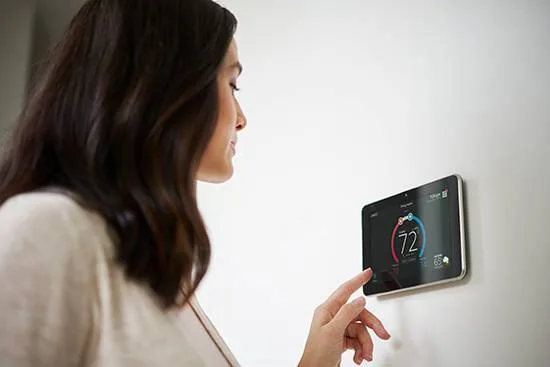
Short answer: Smart thermostats typically save 8–15% on heating and 10–12% on cooling costs by learning your schedule and adjusting temperatures automatically. The biggest savings come from modest 6–8°F setbacks when you're away or asleep — not aggressive swings that force the system to recover.
Smart thermostats cut HVAC energy by using schedules, occupancy, weather, and adaptive recovery. Many homes see typical savings in the 8–15% range for heating and 10–12% for cooling. Proper wiring, heat pump settings, and modest setbacks are required to realize those savings and avoid costly auxiliary heat runs. (Source: ASHRAE Technical Resources)
Key Takeaways
- Typical savings often range 8–15% for heating and about 10–12% for cooling.
- Verify compatibility (C‑wire, heat pump logic, zones) and hunt rebates to shorten payback.
- Use modest setbacks of 6–8°F, enable adaptive recovery, and avoid triggers for auxiliary heat.
- If savings lag, test wiring, settings, and consult a pro to tune the system.

What is a smart thermostat and why does it matter?
A smart thermostat is a Wi‑Fi connected controller for home heating and cooling. It replaces a basic programmable or manual thermostat and adds remote control, scheduling, sensors, and smarter recovery logic. The device sends normal 24VAC control signals to your HVAC system.
They matter because thermostats control most home energy used for heating and cooling. Better control reduces runtime and prevents wasted conditioning. That cuts bills, often improves comfort, and can extend equipment life when paired with good maintenance.
How do smart thermostats work?
Smart thermostats use local sensors, schedules, geolocation, and cloud data to decide when to run HVAC. They read indoor temperature and sometimes humidity. Motion sensors or phone location give hints about occupancy.
The device sends standard control signals to your furnace, air handler, or heat pump. It does not change the rated efficiency of the equipment. Correct wiring and system support determine whether all stages and features work.
What sensors and data do they use?
Thermostats read temperature from an internal sensor and sometimes remote sensors. Many also read humidity and occupancy via motion sensors. They may use phone location to detect if people are home. (Source: ASHRAE Technical Resources)
Cloud services add local weather and learning data. That information helps the thermostat predict recovery time and avoid overshoot or wasted runtime. Users can usually opt out of data sharing.
Which features actually save energy?
Core features that save energy include scheduling, modest setbacks, adaptive recovery, and occupancy detection. Geofencing and remote sensors improve convenience and can increase savings in some homes. Demand response features reduce peak load when available.
Learning modes add convenience but may not beat simple schedules for savings. The largest gains come from consistent setbacks and avoiding conditioning when the house is empty.
Do learning thermostats reduce runtime?
Learning models can cut runtime by reducing programming errors and by predicting occupancy. They tune start times so the house hits setpoints on schedule. That often means less wasted run time.
They can also chase comfort instead of efficiency if left unchecked. Review and limit the learned schedule and set safe setback limits to keep savings intact.
How much can I really save?
Savings depend on your climate, your current thermostat behavior, and HVAC type. Studies and programs list ranges rather than guarantees. For many homes, savings are modest but useful in dollar terms.
Expect typical ranges near 8–15% for heating and 10–12% for cooling versus nonprogrammable or poorly programmed thermostats. Your actual savings will depend on how large the HVAC share of your bill is and how well you use setbacks.
What are typical savings by climate?
Cold climates often show larger dollar savings because heating dominates the bill. Percentage savings still fall in the 8–15% heating range for many homes. Hot climates show similar percent gains for cooling, near 10–12%.
Mild climates tend to show smaller percent savings because HVAC runs less. Homes with electric resistance heat benefit from setbacks, but control logic matters more to avoid costly behavior.
How can I estimate my annual savings?
Start by finding the annual HVAC portion of your energy bill. Multiply that number by the expected percent savings to estimate yearly savings. For example, $1,200 yearly HVAC cost times 10% equals $120 saved.
Factor in purchase and installation costs and any rebates. Typical thermostat retail ranges run $100–$300 and pro installs often cost $75–$200. Subtract available rebates to find simple payback years. [Point 1] (Source: ASHRAE Technical Resources)
Learn about available federal tax credits for energy-efficient HVAC equipment.
What do independent studies report?
Independent groups like DOE, ENERGY STAR, and ACEEE report savings in the ranges noted above. Studies emphasize that user behavior and correct setup are major drivers of outcomes. Manufacturer claims can look optimistic.
Look for peer‑reviewed studies or government program results when estimating likely savings. Local utility reports are often most realistic for your area and climate.
How do heat pumps affect savings?
Heat pump homes can save with smart thermostats, but correct settings matter. Large setbacks can trigger electric auxiliary or backup heat. That extra electric demand can wipe out savings.
Choose thermostats that support heat pump logic and set conservative setbacks. Enable balance points and auxiliary heat lockouts if your device offers them. A technician can tune these settings for best results.
What hidden costs reduce net savings?
Hidden costs include professional install charges, add‑on sensors, power adapters, and technician diagnostics. Triggering auxiliary electric heat can raise bills unexpectedly. Time spent tuning and monitoring is also a cost.
Poor wiring, missing C‑wire, or improper staging can reduce performance and savings. Check rebates to lower upfront costs and invest in a proper install when systems are complex.
Is my HVAC system compatible?
Compatibility depends on control voltage, stages, system type, and zone wiring. Most smart thermostats need a 24VAC control system. Line‑voltage baseboard heaters and millivolt gas controls may not be supported directly.
Check your furnace or air handler control board before buying. Confirm the C, W, Y, G, and O/B terminals and any special control wiring for communicating systems. That reduces install surprises and prevents lost features.
How do I check for a C wire?
Turn off power and remove the thermostat cover to view wires. Look for a wire connected to the C terminal on the old thermostat. The wire color can vary, but blue is common.
Inspect the air handler or furnace control board to make sure a C terminal is present. If no C‑wire exists, options include a power adapter, power‑extender kit, or running a new wire from the air handler.
Will it work with multi stage systems?
Many smart thermostats support two‑stage or multi‑stage heating and cooling. Check the thermostat specs for exact stage support. Some models require an add‑on module for full staging control. [Point 2] (Source: ASHRAE Technical Resources)
Communicating or proprietary control systems need vendor guidance. Incorrect wiring or unsupported features can disable staging and harm comfort and efficiency.
Can smart thermostats control heat pumps?
Yes. Many models support heat pumps, changeover valves, and aux heat control. Choose a thermostat that lists heat pump support and follow the setup steps the manufacturer provides.
Verify the device handles your heat pump features, such as multi‑speed compressors or dual‑fuel setups. Wrong settings can cause excess auxiliary heat and higher bills.
Are zone and two transformer systems supported?
Zoned homes often use separate zone control boards and dampers. Some smart thermostats work with zone boards, while others need interface relays. Two‑transformer systems need care to avoid backfeeding.
An HVAC pro can wire isolation relays or a proper zone board. That keeps thermostats and dampers working without damaging control circuits.
What about boilers and millivolt controls?
Hydronic boilers and some hot water systems use relays or low‑voltage zone controls. Smart thermostats can work if the control voltage matches. Millivolt gas controls often need special relays.
Check your boiler control and the thermostat manual before buying. When in doubt, call a technician to avoid unsafe wiring or loss of control.
Do I need interface modules or relays?
You may need interface relays for high‑voltage systems, multiple transformers, or proprietary control schemes. Relays protect the thermostat and ensure correct signals reach equipment. They also stop transformer backfeed.
Use manufacturer‑recommended modules for two‑transformer or zoned systems. A pro can select and install the right relays to keep warranties and performance intact.
How to install and configure for savings?
Correct installation and setup are as important as the device itself. Wrong wiring or default factory settings can reduce savings or trigger auxiliary heat. Plan the install and read the manual carefully.
After install, test heat, cool, and fan modes. Set modest setbacks and enable adaptive recovery. If you have a heat pump, confirm aux heat lockouts and balance points to avoid extra electric heat usage. [Point 3] (Source: ASHRAE Technical Resources)
What preinstall checks should I run?
Turn power off at the breaker or furnace switch before touching wires. Remove the old thermostat and photograph the wiring and terminal labels. Note wire colors and terminal letters for easy reference.
Open your air handler or furnace and confirm the transformer and control terminals. Verify that the thermostat you plan to buy matches the control voltage and staging of your system.
Can I DIY the wiring safely?
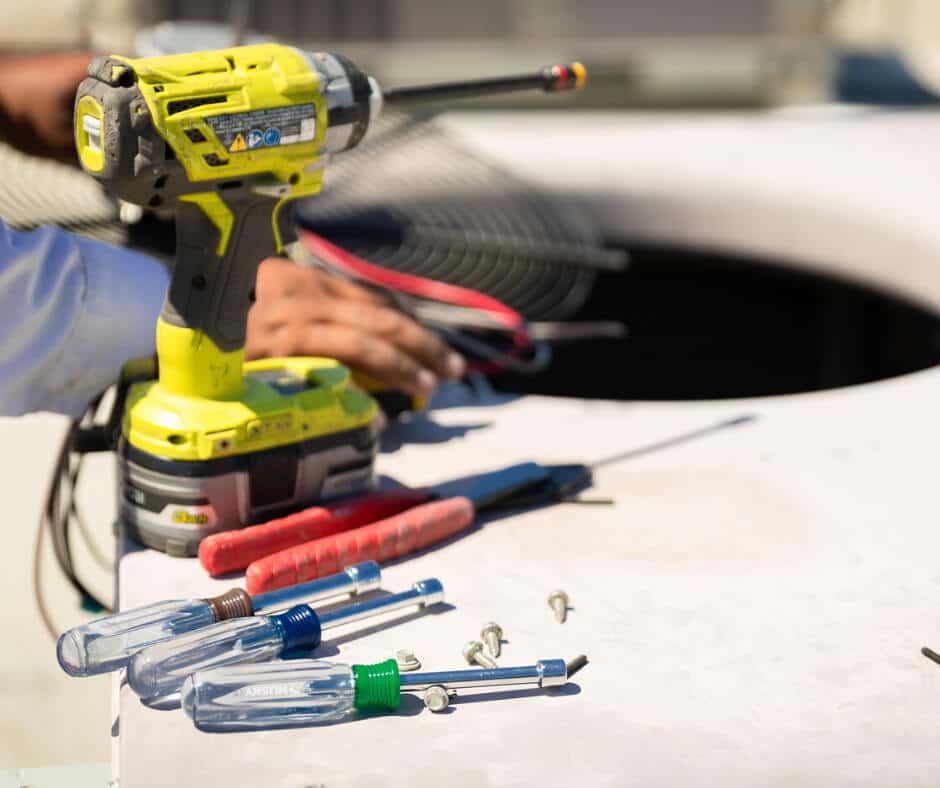
Many homeowners can swap a single stage 24VAC thermostat safely. Turn off the power and follow the wiring diagrams step by step. Use secure connectors and avoid loose wires.
Stop and call a technician if you see multiple transformers, unknown wiring, millivolt systems, or communicating control boards. Safety and correct operation matter more than saving a small install fee.
Which settings maximize energy savings?
Start with conservative setbacks of about 6–8°F from your comfort setpoint. Enable adaptive recovery so the thermostat reaches scheduled temperatures with minimal extra runtime. Turn on occupancy or geofencing if it fits your life.
For heat pumps, set an aux heat lockout or balance point and avoid large setbacks that call backup heat. Review energy reports and adjust setbacks to find the best comfort‑savings tradeoff.
Get started: choose the right thermostat
Begin by checking system compatibility and listing your main goals. Decide whether heat pump support, remote sensors, or geofencing matters most. Price the models, factoring in rebates and installation cost.
For Las Vegas area homeowners, call The Cooling Company at (702) 567-0707 for help choosing and installing the right smart thermostat. The Cooling Company serves Las Vegas, Henderson, and North Las Vegas. Technicians verify compatibility, install correctly, and tune heat pump settings to avoid auxiliary heat.
If you live outside our area, look for NATE‑certified technicians at natex.org and check your local utility for rebates through ENERGY STAR. Even if you do not use local services, follow the compatibility and setup tips here to protect savings and comfort.
Start by confirming compatibility, claim rebates, and track bills for three months after install. A well‑set smart thermostat can cut energy use and improve comfort when matched to your HVAC system and routines. Pro help speeds that result.
Related reading: what to explore next?
- Electrical Panel Upgrade Tax Credit: What Qualifies and How to Claim
- Smart Thermostat Types: A Comprehensive Overview
- Programmable Thermostat Tips: Save Money Without Sacrificing Comfort
- HVAC Energy Savings: How to Save Money During Winter
Need HVAC service help in Las Vegas?
While many homeowners can handle basic HVAC maintenance, some tasks require professional expertise. If you're in the Las Vegas area and need help beyond DIY solutions, The Cooling Company is here for you.
Call (702) 567-0707 to schedule a professional assessment. Our licensed technicians can identify issues that might not be obvious and ensure your system runs efficiently.
About The Cooling Company
- Phone: (702) 567-0707
References
- U.S. Department of Energy (Energy.gov) (accessed 2025-12-26)
- U.S. Environmental Protection Agency (EPA) (accessed 2025-12-26)
- ASHRAE (Standards and guidance) (accessed 2025-12-26)
- ENERGY STAR (Heating & cooling) (accessed 2025-12-26)
Related service: Considering a heat pump for your Las Vegas home? Explore our heat pump installation and heating services services for Las Vegas homeowners.
Need HVAC Service in Las Vegas?
The Cooling Company provides expert HVAC service throughout Las Vegas, Henderson, and North Las Vegas. Our licensed technicians deliver honest assessments, upfront pricing, and reliable results.
Call (702) 567-0707 or visit AC repair, maintenance, heating, or installation for details.