


Short answer: To estimate mini-split energy costs, convert the unit's BTU capacity to kilowatts (divide by 3,412), then divide by the EER or COP rating and multiply by your electricity rate and daily run hours. A typical 12,000 BTU unit at 15 SEER costs roughly $40–$80 per month in Las Vegas summer.
A mini split energy calculator converts rated capacity and efficiency into likely electricity use and cost. It converts BTU/h to kilowatts, applies EER or COP, adjusts for duty cycle and part-load behavior, and totals kWh by hour, month, and year to show realistic ranges for cost comparisons. (Source: ASHRAE Technical Resources)
Key Takeaways
- Convert BTU/h to kW using 1 kW = 3412.14 BTU/h to link capacity to power.
- Use EER or COP for point estimates and SEER/HSPF for seasonal, yearly estimates.
- Account for duty cycle, part-load behavior, fan power, defrost, and auxiliary heat.
- Show low/med/high scenarios instead of a single precise number.
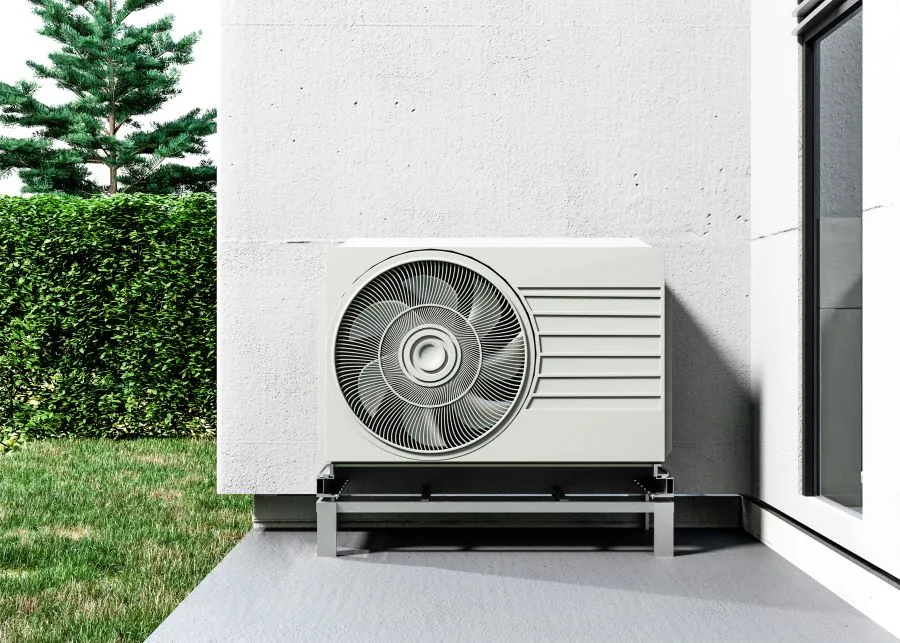
What is a mini split energy calculator?
A mini split energy calculator estimates electrical use and cost for ductless heat pumps. It starts with unit capacity and efficiency ratings and then applies runtime and local price data. The goal is to produce realistic hourly, monthly, and annual kWh and cost ranges.
Users should treat results as modeled ranges, not exact bills. The tool should separate instantaneous power needs from seasonal energy. That helps homeowners compare models and decide when to ask a pro for Manual J sizing.
What inputs does a good calculator need?
A strong calculator asks for capacity in BTU/h, efficiency rating (EER, SEER, COP, or HSPF), and local $/kWh. It also asks for hours per day, days per month, and expected duty cycle. These inputs let it compute both point and seasonal energy.
Advanced inputs should include room size, insulation level, window orientation, and occupancy patterns. Multi-zone systems need number of indoor heads and likely concurrent use. Storing manufacturer performance curves yields more accurate part-load estimates.
How do BTU and watts relate?
BTU per hour measures heat moved. Watts and kilowatts measure power in metric terms. Use the conversion 1 kW = 3412.14 BTU/h to link rated capacity to electrical input.
For example, a 12,000 BTU/h unit equals about 3.52 kW of cooling output. Divide that by COP to estimate electrical input. You can also use EER to compute watts directly by dividing BTU/h by EER.
Why does seasonal efficiency matter?
Seasonal ratings like SEER and HSPF average performance over many conditions. They help predict annual energy use. Relying on a single point efficiency can misstate yearly costs by a large amount.
Manufacturers test for SEER and HSPF under fixed cycles and lab conditions. Real homes see variable loads and varying outdoor temps. Use seasonal numbers for annual cost estimates, and point values for peak or design planning.
Our pricing guide breaks down the costs you can expect.
How does the calculator compute energy use?
Start by converting capacity to thermal kW using the 3412.14 factor. Then apply the chosen efficiency metric. For point math use EER or COP to estimate instantaneous electrical kW. Multiply by runtime to get kWh. (Source: ASHRAE Technical Resources)
For monthly totals use SEER or HSPF with degree days or measured patterns. Apply duty cycle and part-load factors to reflect inverter behavior. Add fan, controls, defrost, and auxiliary heat as separate line items in the output.
How to calculate hourly kW draw?
First convert BTU/h to thermal kW by dividing by 3412.14. Then divide that thermal kW by COP to get electrical kW input. If EER is known, compute watts directly as BTU/h divided by EER.
Don’t forget accessory loads. Add 100–300 W for indoor and outdoor fans and controls, depending on head size. For inverter units use a part-load multiplier or map compressor speed to electrical input for better accuracy.
How can you estimate monthly kWh from hours?
Multiply average electrical kW draw by hours run per day and by days in the month. For multiple zones sum each head’s daily kWh before multiplying by days. Use duty cycle to scale runtime where the compressor cycles.
Use our energy savings calculator to estimate your potential savings.
Example: 1.2 kW average × 6 hours/day × 30 days = 216 kWh/month. If duty cycle is 0.6, adjust run hours or average draw accordingly. Present low and high cases so users see variability.
What role does duty cycle play?
Duty cycle is the fraction of time the compressor runs. A 50% duty cycle means the compressor runs half the time. It directly scales energy use when run power is steady during on periods.
Inverter systems vary power always, so model average percent load instead. Clarify whether duty cycle refers to on/off compressor time or to average compressor load. That avoids confusion in results.
How should defrost cycles be modeled?
Defrost adds extra energy and reduces heating output temporarily. Model defrost as an extra kWh penalty or a percent increase in heating season electrical use. Typical penalties range from 5% to 20% in cold climates.
Use manufacturer data for defrost frequency and duration when available. In mild climates the penalty is small. For heavy frost or electric defrost, increase the defrost energy allowance and show it separately in outputs.
How to include auxiliary heat use?
Model backup heat by specifying a cut-over temperature and backup efficiency. Estimate hours below that temperature from local climate data. Then compute backup kWh using the backup COP or fuel rate.
Electric strip heat usually has a COP near 1.0 and is costly. If the backup is gas, convert gas therms to cost using local gas rates. Show backup energy and cost as separate line items so users see the impact.
What real-world factors change results?
House insulation, window area, and occupant behavior strongly affect runtime. Solar gains and internal appliances can cut heating runtime but increase cooling runtime. Site factors often outweigh small efficiency differences between models.
Installation matters too. Long line sets, incorrect charge, and poor airflow reduce capacity and efficiency. Inverter technology changes how runtime maps to input power, so include part-load curves or conservative defaults where data is missing.
How do outdoor temperatures affect COP?
COP drops as outdoor temperature moves away from design conditions. For heating, colder outdoor air lowers heat pump efficiency and capacity. Manufacturers publish COP at multiple outdoor temps for each model.
Use point COPs at likely outdoor temps for peak planning and electrical sizing. For annual estimates use seasonal COP but adjust for low-temp penalties. In very cold areas include backup heat hours in totals. [Point 1] (Source: ASHRAE Technical Resources)
What is duty cycle in real homes?
Real duty cycles vary with insulation, setpoint, and internal gains. Homes with strong solar gain often need less compressor runtime during the day. Poorly insulated homes run compressors much longer.
Thermostat habits matter too. Aggressive setpoint swings and frequent adjustments increase runtime. Smart thermostats with setbacks can lower duty cycle. Capture these behaviors with sliders or direct questions in the UI.
How much does defrost reduce performance?
Defrost temporarily stops heating and can use electric heaters. Frequent defrost cycles lower seasonal heating efficiency. Expect a 5% to 15% effective reduction in heating season COP in many cold, wet climates.
If a unit uses electric defrost heaters, the penalty is higher. Track defrost hours and the ratio of defrost kWh to heating kWh. Show users separate kWh lines so they see the defrost impact clearly.
How do installation losses alter energy use?
Installation issues such as undercharge and poor airflow reduce efficiency and capacity. A small refrigerant undercharge can cut COP by a few percent. Long line sets can limit low-temp capacity and raise energy use.
Good installers test charge, airflow, and performance. Ask for measured post-install tests. For defaults, include a 3%–10% installation loss unless the install is certified and tested.
Which model specifications should you check?
Look at capacity and COP/EER at multiple outdoor temperatures. Review part-load performance tables, low-temp heating charts, and defrost data. AHRI sheets and manufacturer tables are best sources of real values.
Check listed fan and control power. Find whether efficiency numbers include accessory loads. If you need rebates, confirm the unit has required certifications and rated values under that program.
You may qualify for federal tax credits that reduce your upfront cost.
Which user behaviors change runtime?
Setpoints and habit patterns shape runtime. A higher cooling setpoint cuts compressor time. Frequent door openings and long showers increase load. Window shades in summer reduce cooling hours.
Internal gains from cooking and laundry can drop heating needs and raise cooling needs. Model realistic daily routines rather than idealized use for better estimates. Offer presets for common behavior types.
How to model multi-zone interactions?
Multi-zone systems share an outdoor unit and can run multiple indoor heads. When heads run together, sum expected loads and watch for outdoor unit limits. Simultaneous high loads can raise average compressor power.
Model each head’s runtime and fraction of concurrent use. Add checks so combined zone demand does not exceed the outdoor unit’s rated capacity at given outdoor temps. Show both per-zone and combined energy numbers.
How accurate are typical vendor estimates?
Vendor estimates often assume optimistic duty cycles and lab-based seasonal numbers. They may omit fans, defrost, and backup heat. That can lead to large underestimates of real costs. Treat simple vendor numbers cautiously.
A calculator using local weather, duty cycles, and part-load curves gives better results. Still, only measured field tests and a Manual J load can validate exact energy use. Use the calculator for planning and vet calculations with a pro.
Why do nameplate numbers mislead energy estimates?
Nameplate BTU shows peak capacity under ideal lab tests. It does not reflect steady output in a house. SEER and HSPF are seasonal averages under fixed cycles and can differ from real life. [Point 2] (Source: ASHRAE Technical Resources)
Nameplate power sometimes omits accessory loads. Always convert rated capacity and efficiency into predicted input power using COP/EER and realistic runtime. That gives a truer estimate of electrical use and cost.
How far can errors range in real homes?
Errors can range from about 30% to over 100% when assumptions are wrong. Tight homes with big internal gains can use far less than vendor numbers suggest. Poorly sealed homes or aggressive setpoints can use much more.
Use sensitivity analysis to show how duty cycle and COP assumptions change results. When a calculator returns a wide low-high band, it reflects real-world uncertainty and helps homeowners plan for risk.
Can a calculator predict peak demand?
Yes, with point power at design outdoor temperatures and accessory loads. For peak kW use instantaneous COP or EER at likely extreme temps. Include fan startup and inverter inrush where relevant.
Check local utility demand charge rules. If demand charges apply, present both monthly energy cost and a demand charge estimate using peak kW times local demand $/kW. That helps business and some residential customers.
How to compare single-zone vs multi-zone energy?
Model each head’s runtime and combine electrical inputs. Multi-zone systems can be more efficient when heads run at different times. Simultaneous full-load operation can increase peak draw and lower efficiency.
Run scenarios for one-head, two-head, and all-heads operation. Show combined kWh and peak kW for each. That helps users see trade-offs between targeted comfort and whole-house conditioning.
What example calculations show typical kWh?
Example 1: 12,000 BTU/h with EER 12 yields 1.0 kW hourly input. At 6 hours/day that gives 180 kWh in a 30-day month. Multiply by local $/kWh for cost.
Example 2: Two heads, 9,000 and 18,000 BTU, combined 27,000 BTU, COP 3.0. Cooling output equals about 7.91 kW. Electrical input is 2.64 kW. At 8 hours/day and 60% duty, daily kWh is 12.7.
How to use or build a calculator?
Design a tool that separates point and seasonal estimates and shows assumptions up front. Offer a simple mode for homeowners and an expert mode for contractors. Let users export inputs and results so contractors can run Manual J and Manual S.
Include sensible defaults tied to climate. Allow sliders for duty cycle, hours, and insulation quality. Store manufacturer PLF or COP curves and interpolate for outdoor temps to improve accuracy.
What default values give realistic outputs?
For cooling in moderate climates use a duty cycle of 0.4–0.6 and indoor fan power of 100–200 W per head. For heating start with 0.2–0.6 duty cycles and reduce COP at low outdoor temps. These defaults give reasonable first estimates.
Set default $/kWh to the user’s utility rate or a state average if unknown. For inverter part-load behavior use a 0.9 multiplier unless manufacturer curves show otherwise. Let users override defaults easily.
How to code BTU and efficiency math?
Use a constant 3412.14 to convert BTU/h to kW. For point calculations compute watts as BTU/h divided by EER. For COP use electrical kW = thermal kW ÷ COP. For seasonal kWh divide BTU by SEER to get watt-hours.
Model duty cycle by multiplying kW input by the duty fraction for on/off systems. For inverter systems model average percent load instead of binary on/off. Store manufacturer curves as arrays keyed by outdoor temperature. [Point 3] (Source: ASHRAE Technical Resources)
What inputs should the UI request?
Ask for capacity (BTU/h), efficiency (EER/SEER/HSPF/COP), hours per day, days per month, and local $/kWh. Request zip code for degree-day data and number of heads for multi-zone systems. Keep the basic path simple.
Advanced options should include line-set length, expected install loss, backup heat type, and local demand charge rates. Offer export and print-friendly reports for contractors and rebate programs.
How to present ranges and uncertainty?
Show a best estimate along with low and high scenarios. Label key assumptions clearly and provide sliders for duty cycle, COP, and hours. Use shaded bands in charts to show uncertainty visually.
Avoid a single precise number. Users prefer ranges because they reflect real-world variability. Let users run sensitivity tests to see which assumptions matter most to their results.
When is Manual J or Manual S needed?
Manual J is needed for accurate whole-house sizing or when the decision affects major construction. Manual S should be used to select equipment that matches the load. Rebate programs often require certified Manual J or Manual S documents.
Use the calculator for early planning and comparison. For final sizing or rebate paperwork, share calculator inputs with a licensed contractor who will run Manual J and Manual S and provide certified reports.
What checks validate calculator outputs?
Compare modeled monthly kWh to recent utility bills for similar months. For installed systems perform a run test at a known outdoor temp and compare measured kW to model predictions. Revisit assumptions if errors exceed 15%–20%.
Ask installers for AHRI sheets and field measurements. Verify low-temp heating capacity against manufacturer data. Good installers provide measured performance numbers after commissioning.
Request a personalized estimate
If you are in Las Vegas, Henderson, or North Las Vegas call The Cooling Company at (702) 567-0707 for a tailored mini split estimate. The team will review your home, run Manual J if needed, and show hourly, monthly, and seasonal kWh and cost projections. The estimate will list assumptions and line items.
Remote clients outside our area can use the guidance above and hire a NATE-certified tech listed at natex.org for local help. If you later visit Las Vegas, The Cooling Company can consult remotely and follow up with on-site checks to verify performance.
How to request a custom estimate?
Las Vegas area homeowners should call The Cooling Company at (702) 567-0707 and request a mini split energy estimate. Ask for a site visit that includes Manual J load verification and a review of manufacturer performance tables. The Cooling Company will explain assumptions and show kWh and cost ranges.
Remote clients can send photos and recent utility bills for a baseline estimate. Include zip code, house size, insulation level, and setpoints. For accurate bids schedule an on-site visit so measured airflow and charge can be verified.
What info should you provide?
Give your address or zip code, square footage, and room dimensions for targeted zones. Share insulation levels, window orientation, roof type, and recent utility bills. Note existing HVAC equipment and any panel limits. These items speed accurate estimates.
If you have model numbers include them so we can pull AHRI data and part-load curves. For Las Vegas-area jobs The Cooling Company will also check local rebates and incentives that can lower upfront costs and improve payback timelines.
Why choose The Cooling Company in Las Vegas?
The Cooling Company offers local field testing and Manual J verification tailored to desert climates. Technicians measure actual performance and adjust systems to maximize efficiency. We explain expected kWh and seasonal costs in plain terms.
Call (702) 567-0707 for a site visit in Las Vegas, Henderson, or North Las Vegas. Get an itemized energy projection, measured commissioning, and a transparent breakdown of assumptions. That gives confidence in performance and long-term cost estimates.
Related reading: what to explore next?
Need HVAC service help in Las Vegas?
While many homeowners can handle basic HVAC maintenance, some tasks require professional expertise. If you're in the Las Vegas area and need help beyond DIY solutions, The Cooling Company is here for you.
Call (702) 567-0707 to schedule a professional assessment. Our licensed technicians can identify issues that might not be obvious and ensure your system runs efficiently.
About The Cooling Company
- Phone: (702) 567-0707
References
- U.S. Department of Energy (Energy.gov) (accessed 2025-12-29)
- U.S. Environmental Protection Agency (EPA) (accessed 2025-12-29)
- ASHRAE (Standards and guidance) (accessed 2025-12-29)
- ENERGY STAR (Heating & cooling) (accessed 2025-12-29)
Related service: Want to lower your energy bills? Explore our AC maintenance and energy-efficient AC installation services for Las Vegas homeowners.
Related reading: mini split for garage heating and cooling, and most efficient mini split heat pumps.
Need HVAC Service in Las Vegas?
The Cooling Company provides expert HVAC service throughout Las Vegas, Henderson, and North Las Vegas. Our licensed technicians deliver honest assessments, upfront pricing, and reliable results.
Call (702) 567-0707 or visit AC repair, maintenance, heating, or installation for details.