

Short answer: Learn HVAC maintenance tips to save up to 30% on energy by using a smart thermostat, remote sensors, and rebates, and call a pro to lower your bills.
Key Takeaways
- Use 4–6°F daytime setbacks and 6–8°F nighttime setbacks for clear savings.
- Add remote sensors in bedrooms and distant rooms for balanced comfort.
- Verify C‑wire needs and compatibility before purchase. Call a pro for complex wiring.
Upgrading or tuning your thermostat can reduce HVAC energy use and improve comfort. Modern thermostats add schedules, remote sensors, and smarter heat pump controls. When wired and configured correctly, they cut runtime and lower bills. This guide explains types, wiring, settings, and quick steps that produce measurable savings. It also preserves key links and the local call to action so.

What is a thermostat and why care?
A thermostat is the system control point for heating and cooling. It senses near‑case air temperature and tells your furnace, heat pump, or air conditioner to start or stop. Better control means less runtime and fewer cycles. That reduces energy use and extends equipment life when set properly.
Modern thermostats add scheduling, remote access, sensors, and optimization tools. Programmable units use fixed time blocks. Smart models add learning, geofencing, and demand response. These features work best when the thermostat matches your HVAC type and is wired correctly. A mismatch or missing common (C) wire causes unreliable performance and defeats savings.
How do thermostats work?
A thermostat measures air temperature and compares it to the set point. When the reading is outside the allowed band it closes or opens a 24‑volt control circuit to run heating or cooling. The system runs until the thermostat again senses the target temperature.
Cycles and run times determine energy use and wear. Short cycling raises wear and lowers efficiency. Modern thermostats use minimum run timers and predictive recovery to reduce short cycles and recover comfort efficiently.
What are the main thermostat types?
Thermostats come as manual, programmable, and smart models. Manual types are simple and cheap. Programmable models follow schedules set by you. Smart thermostats add features like remote control, learning algorithms, and integration with utility programs.
Each type has pros and cons. Manual units are low cost but require manual changes. Programmable units save energy if schedules match actual occupancy. For a deeper comparison, read our smart thermostat guide. Smart models reduce human error but may need a stable 24‑V supply, often a C‑wire.
Manual versus programmable versus smart - which helps more?
Manual thermostats can work well in stable households where occupants adjust setpoints reliably. Programmable thermostats save energy for homes with predictable routines. Smart thermostats help homes with irregular schedules by automating setbacks and returns.
Learning thermostats and geofencing reduce setup time and human error. They are useful where occupants forget to change settings. But to get full benefits, install and wire them properly and check compatibility with heat pumps and multi‑stage systems.
How to choose the right thermostat?
Choosing a thermostat starts with matching the device to your HVAC type. Identify whether you have a heat pump, multi‑stage furnace, or line‑voltage electric heat. Check the thermostat maker’s compatibility charts before purchase. If you have a proprietary control board or an older packaged unit, call an installer to confirm fit.
Also inspect wall wiring. Many modern smart thermostats require a continuous 24‑V supply (a C‑wire). If your wiring lacks a C‑wire, you can add one, use an adapter, or choose a model that works with power extenders. Consider sensors and heat pump modes when choosing features.
Is my HVAC system compatible with upgrades?
Most split systems and modern furnaces work with common smart thermostats. Older systems, line‑voltage heaters, and certain packaged units may need special controls or relay modules. The thermostat manufacturer often publishes compatibility lists and wiring guides to help you confirm suitability.
If your system has more than two or three stages, a reversing valve, or electric baseboards, consult a technician. Incorrect wiring or incompatible controls can cause improper operation or equipment damage.
What is a C‑wire and do I need one?
A C‑wire provides steady 24‑volt power to the thermostat so radios and background processes run reliably. Many Wi‑Fi smart models perform better with a dedicated C‑wire. Without it, the device may drain batteries or misbehave.
If you do not have a C‑wire, you have options: run a new wire from the control board, use a C‑wire adapter or power extender, or pick a thermostat that includes a power accessory. Each choice has tradeoffs in reliability and installation complexity.
How can I check thermostat wiring safely?
Turn off power at the breaker before removing the old thermostat. Remove the cover and take a clear photo of the wiring. Label wires and note terminal letters. This photo helps match wires to the new thermostat and prevents cross‑wiring.
Keep the system powered off while moving wires. If you see 120‑V or line‑voltage wires behind the thermostat, stop and call a licensed electrician or HVAC tech. Those wires are dangerous and need professional handling.
Can C‑wire adapters or power extenders help?
Adapters and extenders connect at the furnace or air handler control board and create a common connection for the thermostat. They can be an effective short‑term fix and are often less invasive than pulling new wiring.
However, adapters can be less stable than a true C‑wire. For long‑term reliability, a dedicated C‑wire run is best. Ask a technician to inspect the control board and advise the best solution for your system.
When should I call a licensed HVAC or electrician?
Hire a pro for line‑voltage systems, multi‑stage equipment, or confusing control boards. Also call a technician for C‑wire runs, complex heat pump setups, or if you are unsure which wire goes where.
A licensed tech avoids damage to controls and ensures safety. Professionals also help with configuration for heat pumps and can document eligibility for rebates that require certified installs.
You may qualify for federal tax credits that reduce your upfront cost.
Which thermostat features save the most?
Schedules and sensible setbacks provide consistent savings across many homes. Remote sensors, occupancy detection, and demand response programs add further reductions. For heat pumps, features that manage auxiliary heat and balance points prevent costly backup heat.
Other useful controls include anti‑short‑cycle delays, minimum run times, and delayed auxiliary heat. Choose features that match your system and daily routines for the best mix of comfort and savings. The following subsections explain common features and how they contribute to efficiency.
How much can setbacks reduce bills annually (8–12%)?
Using setbacks in heating and cooling typically saves about 8–12% annually. Savings vary by climate, insulation, and how large the setbacks are. Modest drops during idle hours produce steady reductions without major comfort loss.
To capture savings, avoid very deep setbacks in extremely cold climates where auxiliary heat may run excessively on recovery. Test a few degrees at a time and track bills or runtime reports for verification.
Do learning thermostats like Nest optimize usage?
Learning thermostats observe routines, create schedules, and suggest setpoints. They remove the need for manual programming and often correct inefficient habits. For many homes, that leads to real savings.
However, learning algorithms work best when paired with good sensor placement and a stable power source. In homes with many occupants or irregular patterns, pair learning with geofencing or manual overrides for best results.
What is geofencing and does it save energy?
Geofencing uses a phone’s location to detect whether occupants are home. The thermostat shifts to energy‑saving temperatures when everyone leaves and restores comfort when people return.
Savings depend on travel habits and phone accuracy. If occupants frequently leave for hours, geofencing can deliver clear runtime reductions. Be mindful of privacy settings and multiple users to keep behavior consistent.
Are remote sensors worth the extra cost?
Remote sensors measure temperature in distant rooms and send averages to the thermostat. They prevent overconditioning near the thermostat and improve bedroom comfort at night.
Sensors are most useful when the thermostat is in a hallway, direct sun, or when rooms have different heating and cooling needs. Use sensor averaging or scheduling to get the best balance of comfort and efficiency.
How should heat pump controls be configured?
Heat pumps need smart changeover control and management of auxiliary heat. Set the balance point and delay auxiliary heat to avoid unnecessary electric heat during mild recovery periods. Ensure the thermostat supports reversing valve control and staged heat.
If auxiliary heat engages too often, the bill can spike. Confirm thermostat firmware and settings match the equipment and have a pro test for proper changeover and staging behavior.
Can humidity control improve comfort and efficiency?
Humidity control makes a space feel cooler in summer and warmer in winter. That lets you set the thermostat a few degrees higher in summer or lower in winter while keeping comfort.
Use dehumidifiers, whole‑home ventilators, or humidistats tied into your HVAC when moisture is a limiting factor. Proper humidity control can reduce runtime and improve perceived comfort without extra cooling.
How do algorithms affect short cycling?
Smart thermostats use minimum run times and predictive recovery to reduce short cycles. These algorithms keep compressors and motors from turning on and off too rapidly, which reduces wear and energy spikes.
If short cycling continues after enabling anti‑short‑cycle features, have a technician inspect airflow, refrigerant, and control relays. The thermostat can mask underlying mechanical problems.
What are utility demand response credits and rebates?
Utilities often offer rebates or bill credits for eligible smart thermostats. Programs range from instant discounts to mail‑in rebates and ongoing credits for participating in demand response events.
Check your local utility’s program rules for eligible models and enrollment steps. Proper documentation and installer details may be required to claim rebates.
How to install and set up quickly?
A basic thermostat swap takes 30–90 minutes for an experienced homeowner if wiring is straightforward. Gather tools: screwdriver, wire labels, level, and a small drill if needed. Power off the system at the breaker before you start.
Follow the new thermostat wiring guide step by step. If you encounter 120‑V wires, multi‑stage terminals, or many control wires, stop and call a technician. A pro can run a C‑wire and confirm proper settings for heat pumps.
What tools and safety steps do I need?
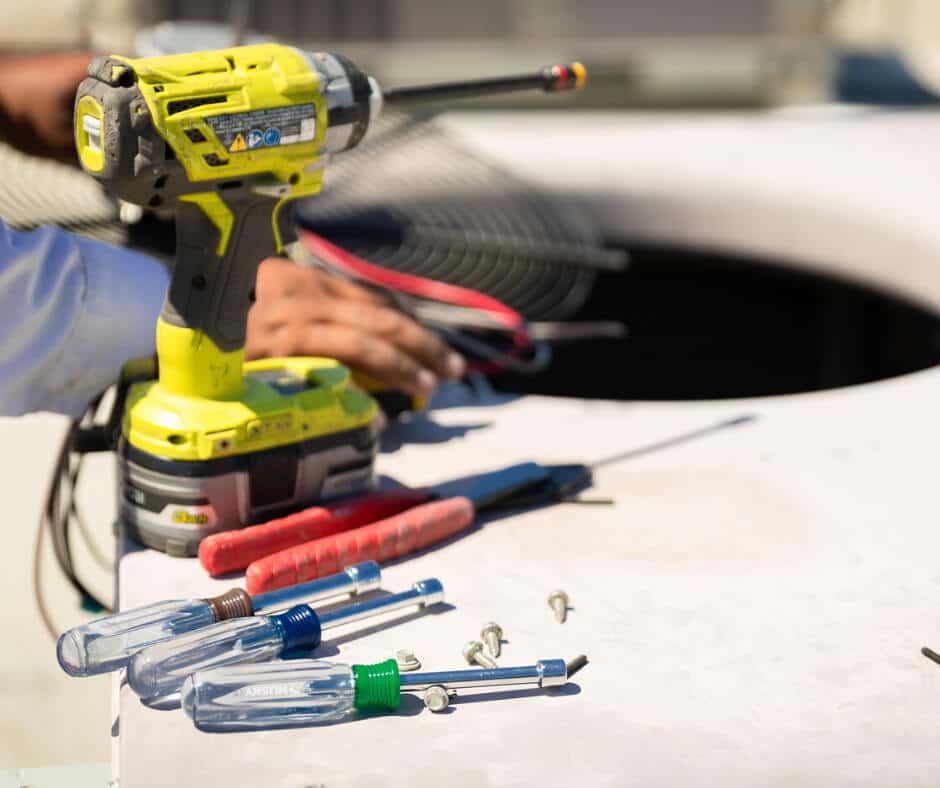
Switch power off at the circuit breaker before you open the thermostat. Use a screwdriver set and wire labels. A small level helps mount the base straight. A multimeter is useful only if you know how to use it; otherwise keep the power off while handling wires.
If you find line‑voltage wiring or signs of arcing, call a licensed pro. Safety is the first priority when working around control panels and electrical systems.
How to wire a thermostat step by step?
Turn power off, remove the old thermostat cover, and take a clear photo of the wiring. Label each wire to match terminal letters and loosen terminal screws to free wires. Pull wires through the new base plate and attach them to the correct terminals.
Once wired, mount the base flush to the wall, attach the thermostat, and restore power. Proceed to configuration and calibration per the manufacturer guide. Test heat and cool calls and check that the reversing valve and auxiliary heat operate correctly if you have a heat pump.
Can a homeowner safely install a smart thermostat?
Many homeowners can install a smart thermostat on single‑stage systems. Read the instructions, turn off power, and double‑check wiring. Take photographs and label wires to prevent mistakes.
For heat pumps, multi‑stage systems, line‑voltage, or confusing control boards, hire a licensed technician. A pro protects system warranties and ensures the thermostat is configured for your system’s unique needs.

How to optimize settings for maximum savings?
Start with reasonable setbacks and enable anti‑short‑cycle settings. Use remote sensors where the thermostat does not represent main living spaces. Heat pump homes should minimize auxiliary heat by choosing modest setbacks and enabling early start for comfort.
Track energy use over several weeks and adjust. Many smart thermostats provide runtime reports that show how changes affect HVAC operation. Combine thermostat changes with sealing and insulation improvements for lasting savings.
What schedule is best for winter heating?
In winter, drop the thermostat 6–8°F during sleep and away times for clear savings without discomfort. Use early start so the home reaches comfort by the wake or return time.
Avoid very deep setbacks in extremely cold weather. Deep setbacks can trigger excessive auxiliary heat use. Test small changes and verify savings on your next bills.
How low should cooling setbacks be set?
Raise the cooling setpoint about 4–6°F when the house is empty for balanced savings. Larger setbacks can increase recovery runtime and sometimes reduce net savings. Monitor indoor humidity as larger setbacks can allow humidity to rise.
Consider dehumidification strategies if humidity becomes uncomfortable during larger setbacks. Sensor placement helps avoid overcooling rarely used rooms.
Should I adjust swing or differential settings?
Changing the deadband or swing affects how often the system cycles. Wider swings let the system run longer but less often. A 1–2°F deadband balances comfort and efficiency for many homes.
Adjust slowly and test comfort before adopting wider differentials. If occupants complain, revert to the tighter setting or use sensor averaging.
How can I avoid short cycling with settings?
Enable minimum run times and anti‑short‑cycle delays in the thermostat menu. Avoid very aggressive setbacks that force quick recovery. If cycling persists, have a technician inspect airflow, refrigerant level, and control relays.
Thermostat settings can mitigate but not fix mechanical problems. Addressing the root cause promptly prevents damage and restores efficiency.
What quick setting presets give big savings?
Use an away or eco preset for daytime empty hours and a sleep preset at night. Enable smart recovery so the system reaches the target by the scheduled time rather than starting too late and running long.
Pair presets with remote sensors to keep bedrooms comfortable without wasting energy in unused spaces. A vacation mode holds the house at one energy‑saving temperature for extended absences and returns to schedule before you come home.
How do I balance comfort with lower bills?
Start with modest setbacks and increase them gradually while checking comfort. Use sensor placement to keep sleeping areas comfortable and save in less used rooms. Combine thermostat changes with air sealing and insulation for better long‑term results. For more tips on reducing energy costs, see our guide to lowering your energy bill.
Measure actual savings by comparing similar billing periods or using the thermostat’s runtime reports. If you have a home energy monitor, use it to verify HVAC power draw and cycle behavior for precise analysis.
Can vacation mode greatly cut energy use?
Vacation mode holds a home at a single energy‑saving temperature during long trips. It saves more on long absences than short ones and prevents daily schedule recovery cycles from using energy unnecessarily.
Smart thermostats often offer automated return to schedule, which adds convenience when you get home. Use vacation mode with sensible limits to avoid deep setbacks that may cause heavy auxiliary heat use in cold weather.
What maintenance keeps thermostat readings accurate?
Keep the thermostat face free of dust, debris, and paint. Check placement guidance to avoid mounting near direct sun, doors, or vents. Replace batteries when recommended and keep the sensor elements unobstructed.
If readings drift, compare them with a portable thermometer and adjust placement or calibration. Proper placement improves comfort and prevents excessive runtime or cycling.
When should firmware and app updates be applied?
Install firmware updates to get bug fixes, security patches, and new features. Automatic updates are common, but review release notes if behavior changes after an update and recheck critical settings.
If a major update alters control logic, test the system response and reconfigure schedules or anti‑short‑cycle settings if needed. Keep the thermostat app credentials secure and review sharing permissions for privacy.
How can I verify actual energy savings at home?
Compare similar billing periods before and after the thermostat change. Use hourly usage data or the thermostat’s runtime reports for more detail. For precise analysis, a whole‑home energy monitor shows HVAC power draw and cycle patterns.
Browse our project portfolio to see examples of our installation work.
Track changes for several billing cycles to account for weather variation. Note any concurrent efficiency upgrades (insulation, windows) that also affect usage.
Are there utility rebates or incentives available?
Many utilities offer rebates for qualified smart thermostats or professional installs. Some programs require specific models or registered installers. Check your utility’s program rules to confirm eligibility and documentation needs.
Rebates can significantly reduce upfront cost. If a rebate requires certified installation, save the receipt and installer details to speed the application.
Ready for a professional install?
If you live in Las Vegas, Henderson, or North Las Vegas, call The Cooling Company at (702) 567-0707 for a same‑day or scheduled thermostat install. Their NATE‑certified techs install, wire, and configure smart thermostats and handle C‑wire runs and rebate paperwork.
Out of the area? Ask for NATE‑certified technicians and a pre‑install compatibility check. That ensures the chosen thermostat matches your heat pump or multi‑stage system. Local professionals can also advise on sensor placement and sensible setback ranges.
If you need help now, call The Cooling Company at (702) 567-0707. Ask about model compatibility, C‑wire solutions, and utility rebates. Their team serves Las Vegas, Henderson, and North Las Vegas and can get your system saving quickly.
Need HVAC service help in Las Vegas?
While many homeowners can handle basic HVAC maintenance, some tasks require professional expertise. If you're in the Las Vegas area and need help beyond DIY solutions, The Cooling Company is here for you.
Call (702) 567-0707 to schedule a professional assessment. Our licensed technicians can identify issues that might not be obvious and ensure your system runs efficiently.
About The Cooling Company
The Cooling Company has been serving the Las Vegas valley with professional HVAC services for over a decade. Our team of licensed, NATE-certified technicians specializes in air conditioning repair, heating system maintenance, and complete HVAC installations. We're committed to providing honest, reliable service with upfront pricing and a 100% satisfaction guarantee on all work performed.
- Phone: (702) 567-0707
- Reviews: 4.9/5 stars (500 reviews) - See reviews
Service Areas
We proudly serve homeowners and businesses throughout the Las Vegas metropolitan area, including Las Vegas, Henderson, and North Las Vegas. Our service technicians are available for same-day appointments in most areas, with emergency service available 24/7 for urgent HVAC issues.
Sources and notes
- ASHRAE Technical Resources: ASHRAE Technical Resources
- For local installer or technician services: call or visit The Cooling Company pages such as their HVAC technician information: hvac technician and their automated thermostat service: automated thermostat in las vegas.
- For guidance on thermostat placement, see The Cooling Company’s placement advice: thermostat placement
Preserve local rebate paperwork and installer receipts for program claims. If in doubt about wiring or system compatibility, hire a licensed HVAC professional to avoid damage and ensure correct settings.
Need HVAC Service in Las Vegas?
The Cooling Company provides expert HVAC service throughout Las Vegas, Henderson, and North Las Vegas. Our licensed technicians deliver honest assessments, upfront pricing, and reliable results.
Call (702) 567-0707 or visit AC repair, maintenance, heating, or installation for details.